How to Use Scorecard Filter? Follow

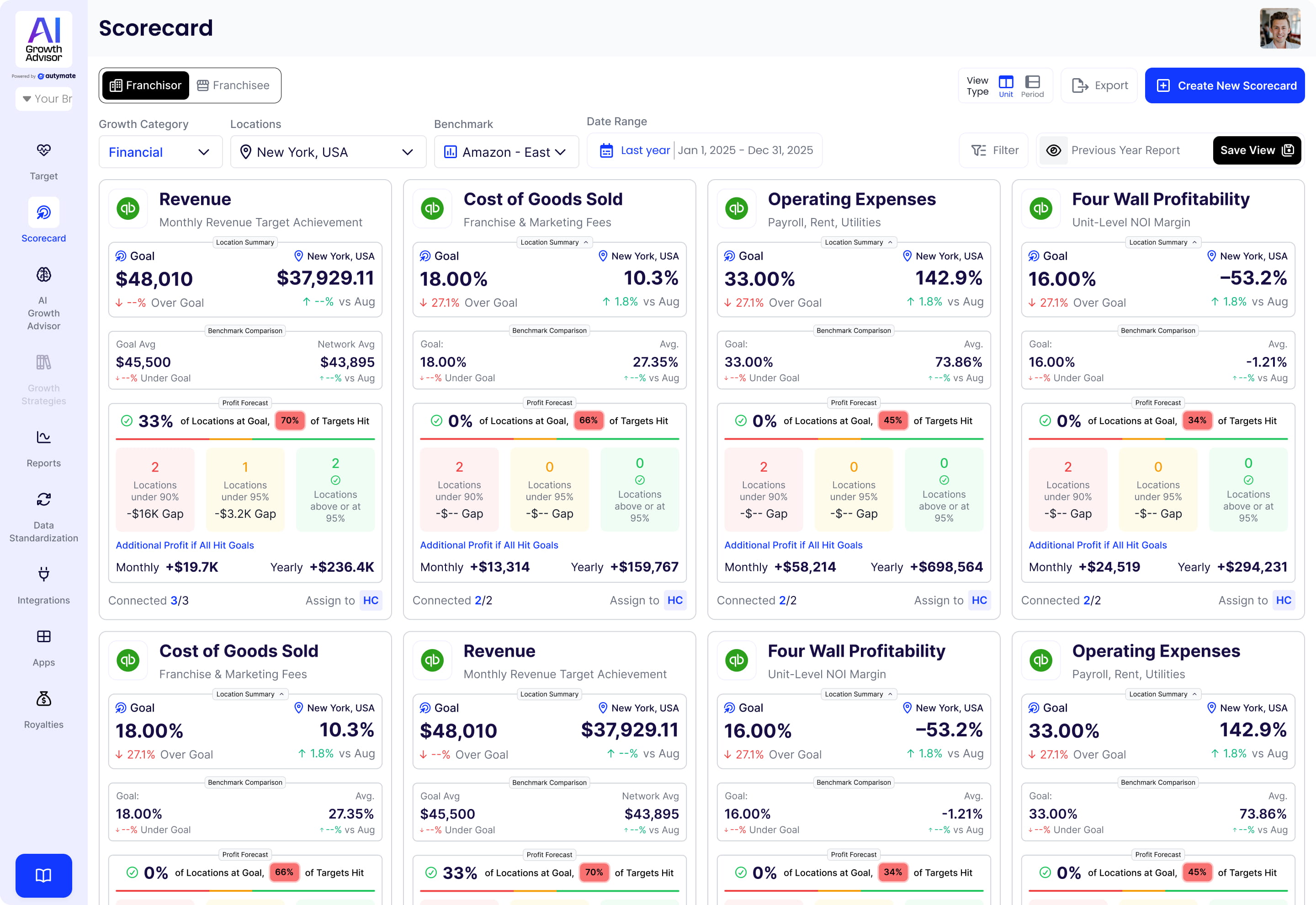
Using the Scorecard Filter in AI Growth Advisor
The Scorecard Filter in AI Growth Advisor enables you to refine your scorecard data based on specific criteria, allowing you to track performance efficiently and effectively. Follow the steps below to apply filters and get precise insights.
Step 1: Access the Scorecards
- Log in to your AI Growth Advisor account.
- Navigate to the Scorecards section from the left-hand menu.
Step 2: Open the Scorecard Filter
- Locate the "Filter" button next to the export button on the top-right corner of the Scorecards page.
- Click the "Filter" button to access the filtering options.
Step 3: Set Your Filters
The Scorecard Filter menu allows you to filter scorecard data based on multiple criteria:
- Location – Filter by specific business locations.
- State – Narrow results based on state-level data.
- Territory – Select a particular region for analysis.
- Responsible Party (RP) – View scorecards assigned to specific individuals.
- Number of Years Open – Filter locations based on their operating duration.
- Agent Count – Filter by the number of agents associated with a location.
- Score Range – Use the Green, Yellow, or Red color-coded system to filter based on performance levels.
Step 4: Apply the Filters
- Once you’ve selected your desired filters, click "Apply".
- The scorecard results will be narrowed down according to the criteria.
Step 5: Review Your Results
- The scorecards will now display filtered data based on your selection.
- Analyze the updated data to evaluate performance for franchisees, franchisors, or teams.
Why Use the Scorecard Filter?
✔ Focus on Key Data – Quickly view relevant scorecard insights without having to scroll through unnecessary information.
✔ Track Progress Effectively – Monitor specific locations, responsible parties, or performance levels to ensure effective progress.
✔ Make Data-Driven Decisions – Identify trends and areas needing improvement.
Maximizing Filter Efficiency
🔹 Experiment with Different Filters – Try various filter combinations to refine insights.
🔹 Adjust Filters Regularly – Keep your filters up to date to match your business priorities.
🔹 Use Score Range Colors – Quickly identify high, moderate, and low-performing locations.
With the Scorecard Filter, you can gain deeper insights into your business and make informed decisions faster. Start applying filters today for smarter tracking and performance monitoring!
Comments
0 comments
Article is closed for comments.