How Do I Keep My Franchisee's Platforms Connected? Follow

Introduction
Connecting your franchisee’s apps to AI Growth Advisor ensures smooth operations, consistent data management, and seamless integration across your franchise network. Follow this guide to manage and maintain these app connections easily, ensuring your business data is always accurate and accessible.
Step-by-Step Guide
Step 1: Sign in to AI Growth Advisor
- Log in to your AI Growth Advisor account to access your main dashboard, where you can manage connected apps.
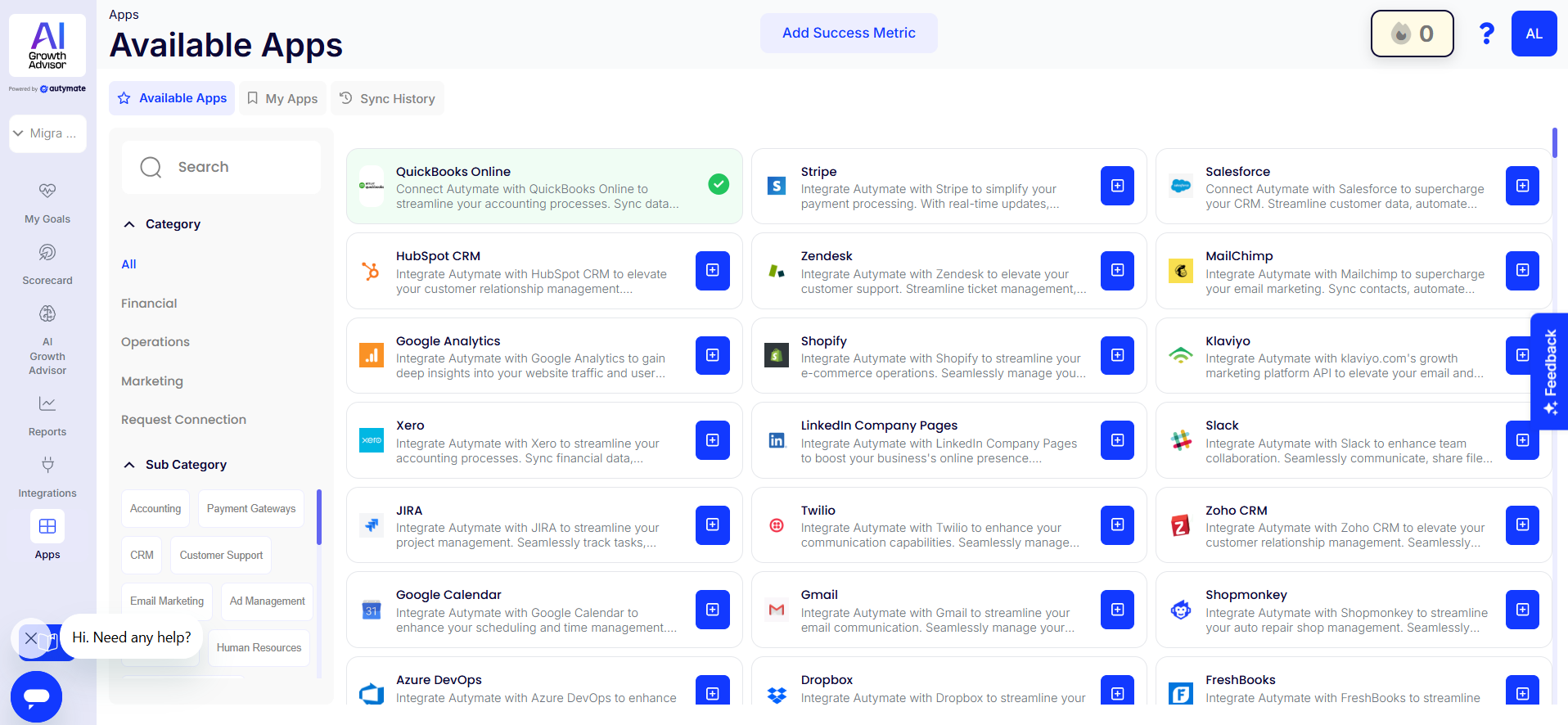
Step 2: Navigate to the Apps Section
- From the left-hand sidebar, click on the Apps tab.
- You’ll see three tabs: Available Connections, My Connections, and Sync History.
Step 3: Review Your Connected Apps
- Click on the My Connections tab to review a detailed list of your franchise locations, along with connected and disconnected apps.
- Connected apps are shown in green, while disconnected apps are displayed in red.
Step 4: Connecting Disconnected Apps
- If any location has disconnected apps, expand the specific franchise location by clicking the drop-down arrow next to its name.
- Identify the disconnected app (marked with a red cross).
- Click the Connect button next to the app to restore its connection with AI Growth Advisor.
Step 5: Standardize Data Across All Apps
- Promote standardized data entry among franchisees to ensure consistent data. Use uniform formats for customer data, sales records, financial entries, and other important information.
- AI Growth Advisor automatically syncs data across your apps, helping reduce discrepancies and maintain data integrity.
Step 6: Monitor and Maintain App Connections
- Regularly review app connections through the My Connections tab to ensure continuous synchronization.
- Utilize AI Growth Advisor’s real-time monitoring to identify issues quickly.
- Check the Sync History tab to review recent synchronizations and detect any recurring issues or delays.
Step 7: Provide Training and Support
- Train franchisees on effectively using the connected apps within AI Growth Advisor.
- Provide guidelines on maintaining app connections and responding to connection issues.
- Encourage franchisees to contact the AI Growth Advisor’s support team for assistance with technical issues.
By following these updated steps, you'll ensure all your franchisee apps remain effectively connected to AI Growth Advisor, enhancing overall operational consistency, data reliability, and franchise network management.
Comments
0 comments
Article is closed for comments.