The Apps module in AI Growth Advisor enables you to connect, manage, and monitor integrations with all your essential business systems—whether they are accounting, CRM, marketing, or e-commerce tools. Here’s how to make the most of it:
Accessing the Apps Module
Log in to your AI Growth Advisor account.
From the left sidebar, click Apps to open the Apps dashboard.
Available Apps: Connect New Platforms
In the Available Apps tab, you’ll see a list of all platforms that can be integrated with AI Growth Advisor.
Browse or use the search bar to quickly find tools like QuickBooks Online, Google Analytics, Stripe, Salesforce, HubSpot, Shopify, Mailchimp, Zendesk, and more.
To start an integration, click the plus (+) icon next to any app.
Follow the prompts to authenticate, authorize, and set up the connection.
Categories and Subcategories
Apps are organized by business function (Financial, CRM, Marketing, Operations, and E-commerce), and you can use subcategory filters for quick access to tools such as Accounting, Payment Gateways, Ad Management, and more.
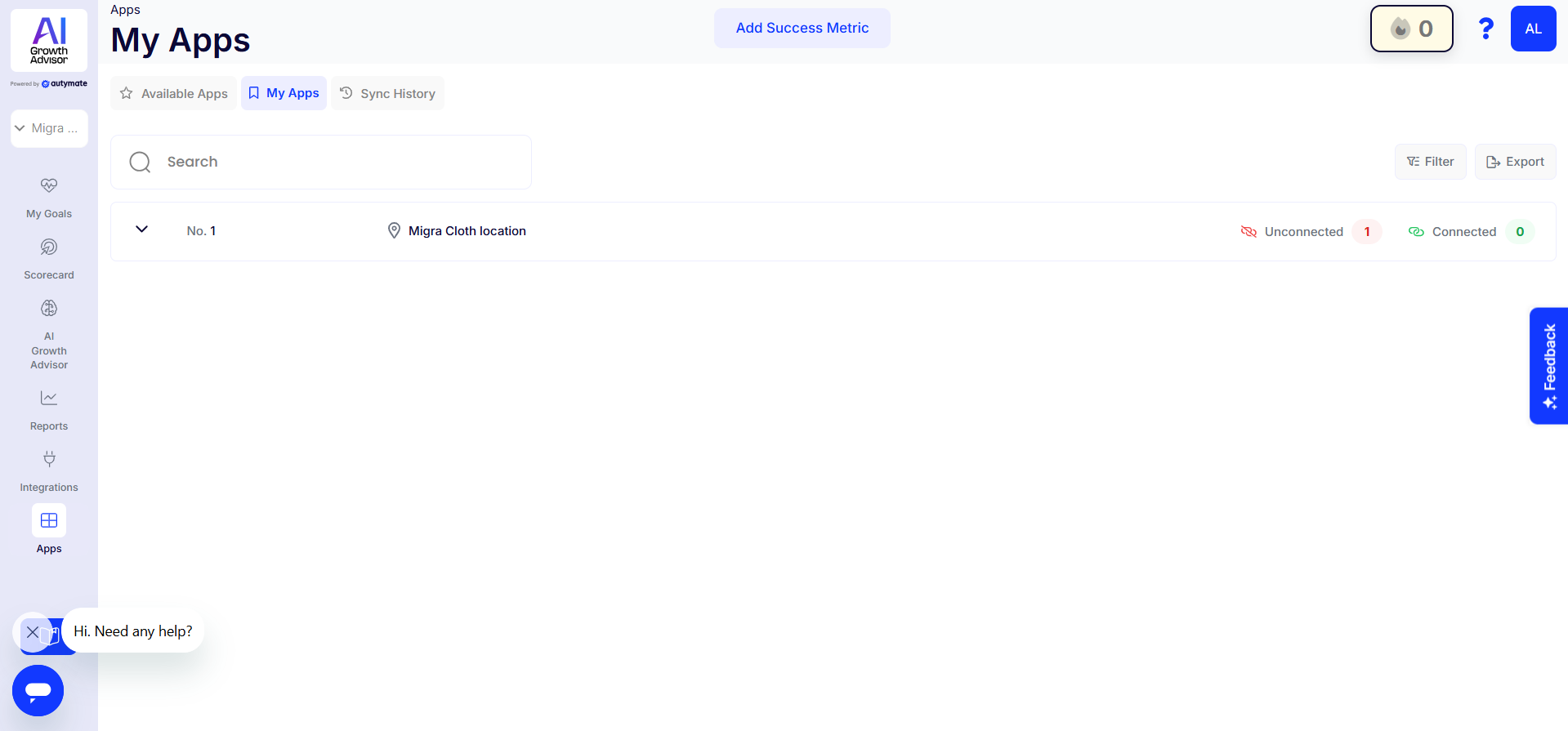
My Apps: Manage and Monitor Integrations
Switch to the My Apps tab to view all integrations for your locations or franchises.
See which apps are connected and which are not for each business unit.
Use the search and filter tools to quickly find specific locations or integration statuses.
Check the colored indicators to see which apps are live (green) and which need attention (red).
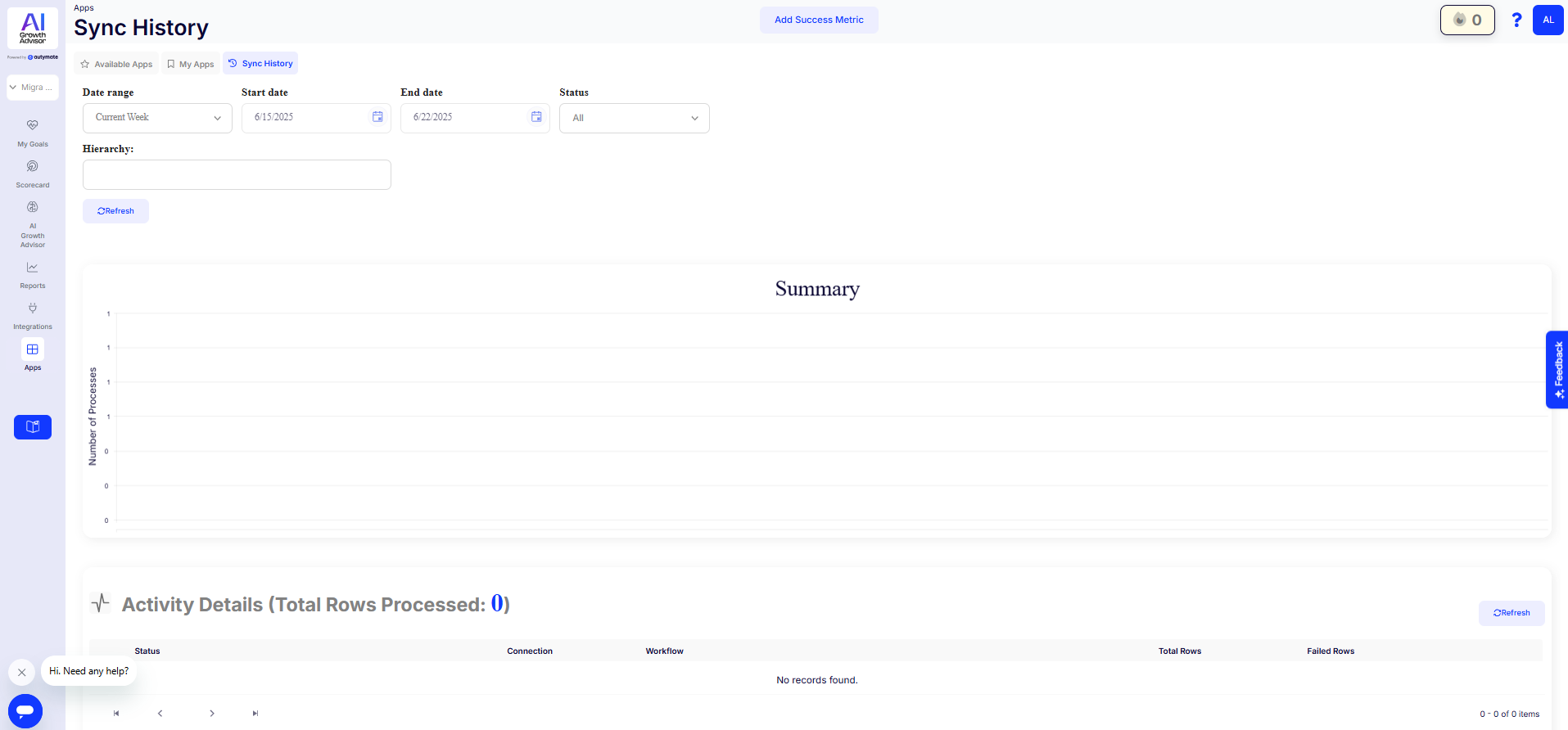
Sync History: Track Data Flow and Performance
In the Sync History tab, you can:
Set a date range to filter sync activity.
View a summary chart of syncs over time, including the total number of processes, successes, and failures.
Scroll down to Activity Details for a line-by-line breakdown of each sync, connection, and any errors or delays.
Tips for Managing Integrations
-
Keep your most important integrations (like QuickBooks and CRM tools) connected at all times for reliable reporting.
-
Check Sync History weekly to confirm data is flowing as expected across platforms.
-
Use filters and search to identify sync issues or quickly manage specific franchise records.
-
If you need an integration that isn’t listed, use the Request Connection option or contact Autymate Support.
Why It Matters
Managing your apps and integrations in one place provides a comprehensive view of your data ecosystem, enabling you to automate workflows, maintain accurate reporting, and ensure your business runs smoothly across all locations.
If you ever need help with an integration, use the in-app Feedback button or contact Autymate’s support team.

Comments
0 comments
Article is closed for comments.