How to Run QuickBooks Online Reports? Follow

How to Run QuickBooks Online Reports in AI Growth Advisor
AI Growth Advisor’s Reporting feature allows you to generate QuickBooks Online financial reports with just a few clicks. Whether you want to track income, monitor liabilities, or assess overdue invoices, the Reports section provides you with fast, filterable access to key financial metrics that support strategic decisions throughout your organization.
Accessing the Reports
-
Log In: Go to AI Growth Advisor and sign in with your credentials.
-
Open the Reports Section: On the left-hand menu, click on Reports.
Key Financial Reports Available
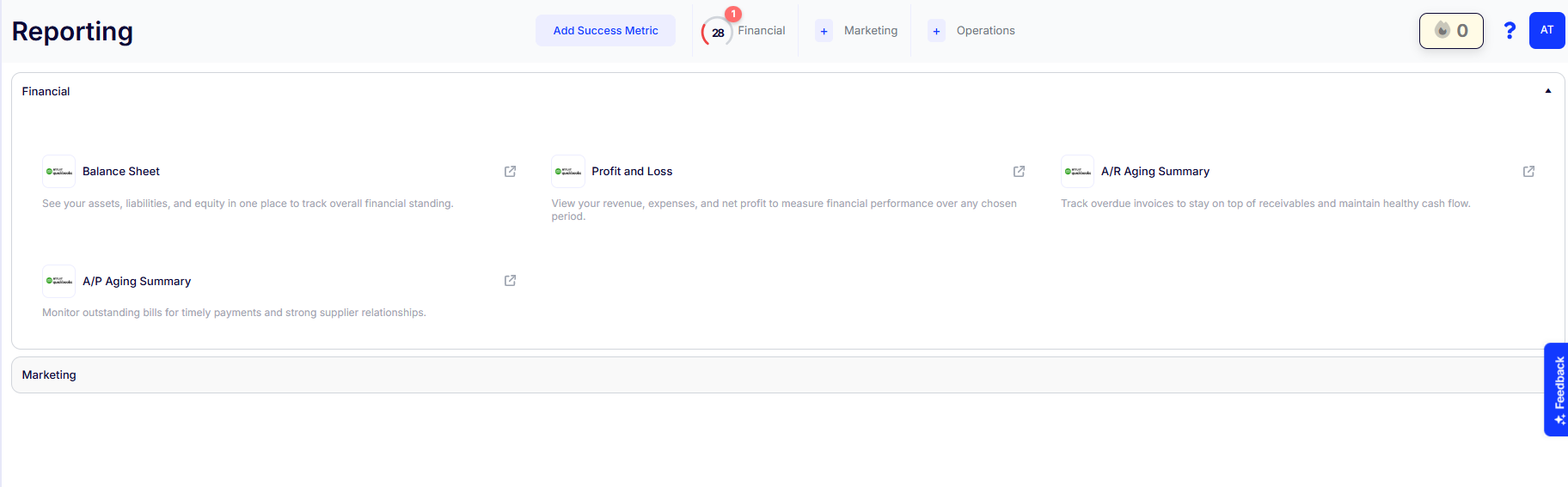
Under the Financial tab, you can run the following core QuickBooks Online reports:
-
Balance Sheet: See your assets, liabilities, and equity to assess your financial standing.
-
Profit and Loss (P&L): View income, expenses, and net profit to evaluate financial performance.
-
A/R Aging Summary: Track overdue invoices to ensure consistent cash flow.
-
A/P Aging Summary: Monitor outstanding payables and strengthen vendor relationships to ensure timely payments.
How to Generate a Report
-
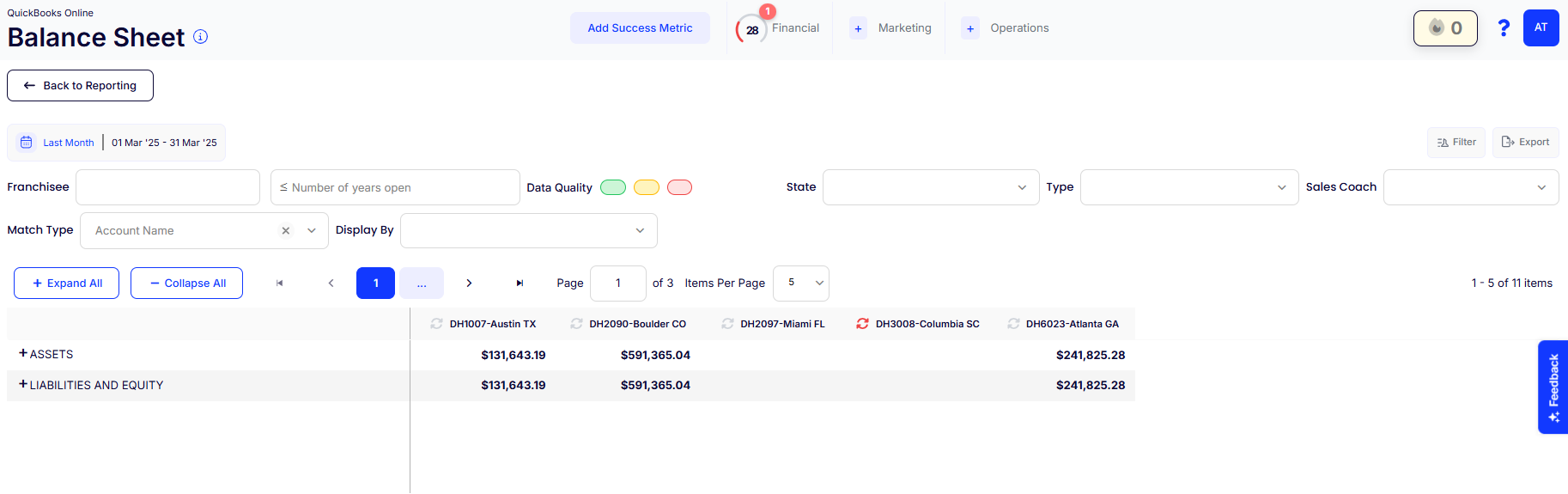
Select the Report: Click the icon for Balance Sheet, P&L, or any available report type.
-
Choose your Franchisee, State, Years Open, Sales Coach, or Location Type.
-
Adjust the Date Range using the top-left calendar selector. Use Filters for Precision.
-
-
Customize the View
-
Select how you want to display data using “Match Type” or “Display By.”
-
Use 'Expand All' or 'Collapse All' to toggle section visibility.
-
-
Run the Report: The report loads instantly based on your selections—no “Generate” button needed.
Additional Reporting Tools
-
Filter Button
Quickly refine your data view by applying advanced filters. -
Export Report
Click Export to download the report for offline use, sharing, or presentation.
Pro Tips
-
Review reports monthly to stay proactive with budgeting, forecasting, and audits.
-
Use A/R and A/P reports to keep track of receivables and payables.
-
Combine report insights with your AI Growth Advisor Scorecard metrics for a complete performance view.
Comments
0 comments
Article is closed for comments.