Benchmarking Progress in AI Growth Advisor Follow

Overview
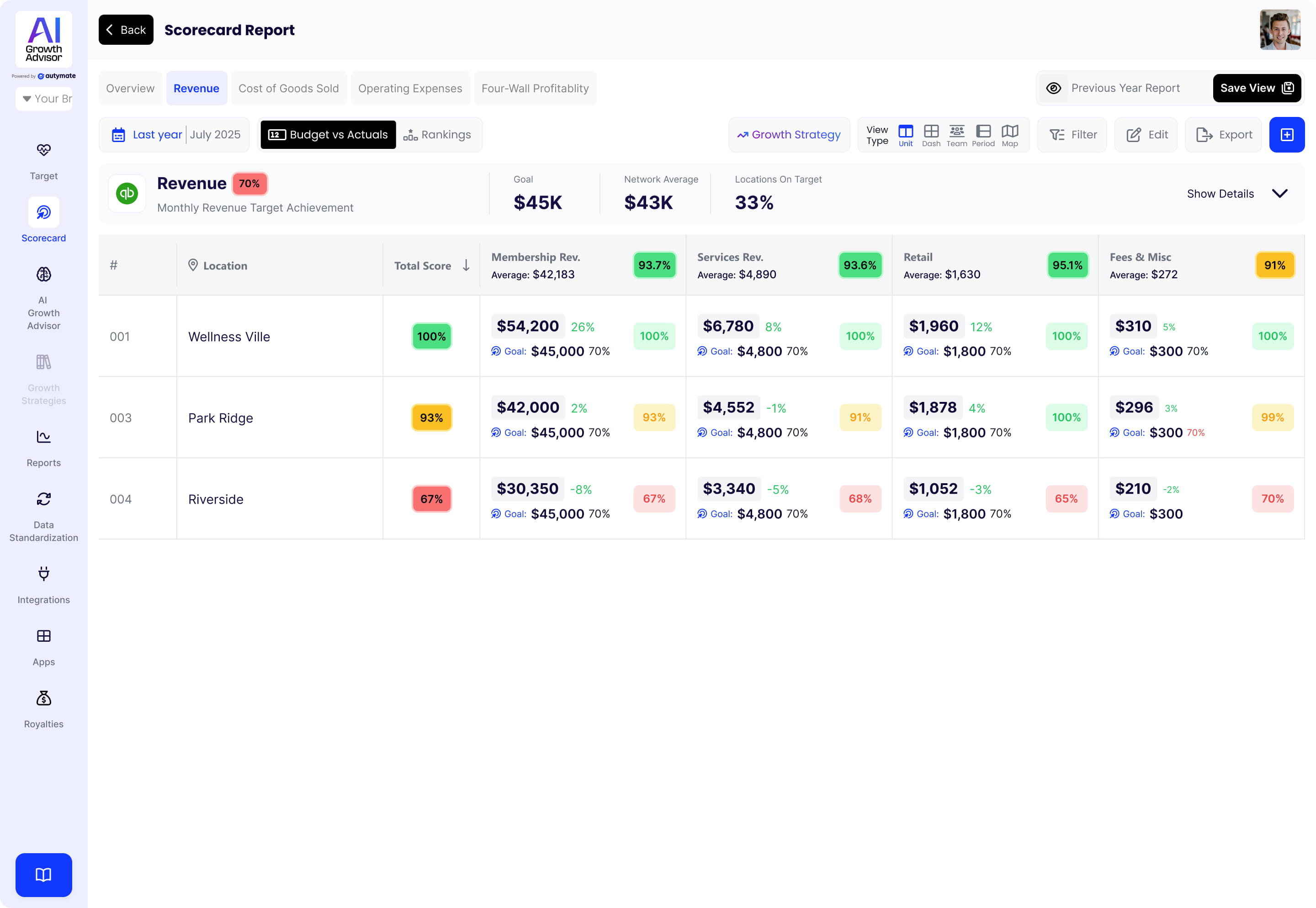
AI Growth Advisor's Multi-Location Benchmarking lets you easily compare the performance of multiple business locations or teams. It helps your teams focus on shared goals, motivates friendly competition, and boosts overall performance through clear, visual rankings and leaderboards.
How to Use Multi-Location Benchmarking
Step 1: Access Benchmarking
- Log in to your AI Growth Advisor dashboard.
- Open the Scorecard from the left-side menu.
Step 2: View Rankings and Leaderboards
- Navigate to the Benchmarking tab displayed on your Scorecard.
- Quickly view your locations' or teams' performance rankings in a clear and easy-to-read layout.
Step 3: Exclude Poor Quality Data
- Click Exclude Bad Data to remove unreliable information from your rankings, ensuring accurate comparisons.
Key Features
- Clear Rankings: Quickly see performance ranks by income, expenses, and other key metrics.
- Interactive Leaderboards: Easily compare teams visually to boost motivation and friendly competition.
- Data Quality Controls: Exclude unreliable data with one click for accurate benchmarking.
- Visual Indicators: Instantly identify top and bottom performers with simple, color-coded visuals.
Benefits for Your Business
- Improved Team Motivation: Friendly competition encourages teams to beat previous records.
- Easy Performance Tracking: Monitor each team's progress and achievements.
- Better Collaboration: Teams can quickly share network-wide strategies that lead to success.
- Consistent Results: Standard benchmarks set clear performance expectations for all teams and locations.
AI Growth Advisor’s Multi-Location Benchmarking turns friendly competition into real growth, helping your teams celebrate success, stay focused, and continuously improve performance together.
Comments
0 comments
Article is closed for comments.